Introduction: When the Numbers Look Good but the Space Feels Wrong
Many projects proudly report strong efficiency ratios.
Net-to-gross looks healthy.
Sellable or usable area is maximized.
Nothing seems wasted.
And yet, once people occupy the space, complaints begin:
- circulation feels tight
- work areas feel crowded
- transitions feel awkward
- flexibility disappears
The plan is efficient—but not effective.
This disconnect happens because area efficiency is often optimized in isolation, without fully testing how people will actually use the space.
Why Area Efficiency Became the Default Success Metric
Efficiency is easy to measure.
It produces a number that:
- fits in reports
- satisfies financial reviews
- feels objective
Usability is harder to quantify. It depends on movement, behavior, comfort, and change over time.
Under schedule pressure, teams default to what’s measurable. Efficiency becomes the goal—even when it undermines performance.
The Hidden Trade-Off Between Density and Function
Increasing efficiency usually means increasing density.
At a certain point, density starts to erode usability:
- circulation overlaps
- furniture clearances tighten
- privacy drops
- flexibility disappears
These issues don’t show up clearly on plans. They appear when people move through the space, work in it, or attempt to adapt it later.
AI floor planning helps designers see where density becomes pressure, not just where area is saved.
Why “Meeting Code” Is Not the Same as “Working Well”
A floor plan can meet every regulation and still perform poorly.
Code defines minimums:
- minimum widths
- minimum clearances
- minimum distances
Usability lives above those minimums.
AI-assisted planning highlights where layouts technically comply but practically struggle—helping teams avoid spaces that work on paper but fail in reality.
Comparing Efficient vs Usable Layouts Early
One of the biggest advantages of AI floor planning is comparison.
Designers can test:
- a highly efficient layout
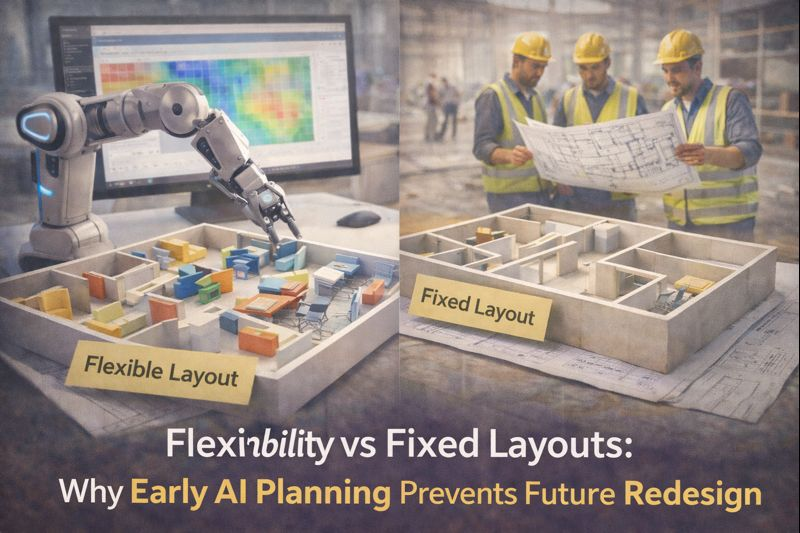
- a slightly less efficient but more flexible option
- a layout optimized for future change
Seeing these options side by side changes the conversation.
Instead of arguing abstractly about “wasted space,” teams discuss trade-offs—and make informed decisions early.
Why Clients Often Regret Over-Optimized Plans
Clients usually approve efficient plans with good intentions. They want value.
But once the space is occupied, priorities shift:
- comfort matters
- adaptability matters
- experience matters
When layouts are too tight, clients feel locked into decisions they didn’t fully understand early.
AI floor planning improves approval quality by showing consequences—not just metrics—before commitment.
Designers Need Support, Not Pressure, at This Stage
Designers already balance competing demands:
- client expectations
- budgets
- regulations
- timelines
AI doesn’t replace judgment—it supports it by making consequences visible sooner.
When designers can demonstrate why a slightly less efficient layout performs better, conversations become constructive instead of defensive.
From Early Space Logic to AEC Delivery
Layouts that balance efficiency and usability:
- coordinate more smoothly
- require fewer late changes
- perform better over time
When these validated layouts move into coordination and delivery, platforms like Ruwaq Design help preserve that balance across BIM, coordination, and execution—so early usability decisions aren’t lost under technical pressure.
Conclusion: Efficiency Is a Tool, Not a Goal
Efficiency matters—but only when it serves use.
Floor plans fail when numbers override experience. AI floor planning helps teams optimize intelligently, revealing where efficiency supports the project—and where it quietly undermines it.
Good layouts are not the tightest ones.
They are the ones that perform well under real conditions.